 Plana
PlanaEmails into jobs
Every enquiry, one click from a job.
Connect your Outlook mailbox. Plana reads each email, files it on the job it's about, and lines up new work in Incoming Requests.
Sound familiar?
- Enquiries sit in one person's inbox until they remember them.
- Retyping an email into a job sheet, with the customer's details, again.
- Half of what looks like work is a supplier's invoice.
New work waits in one place
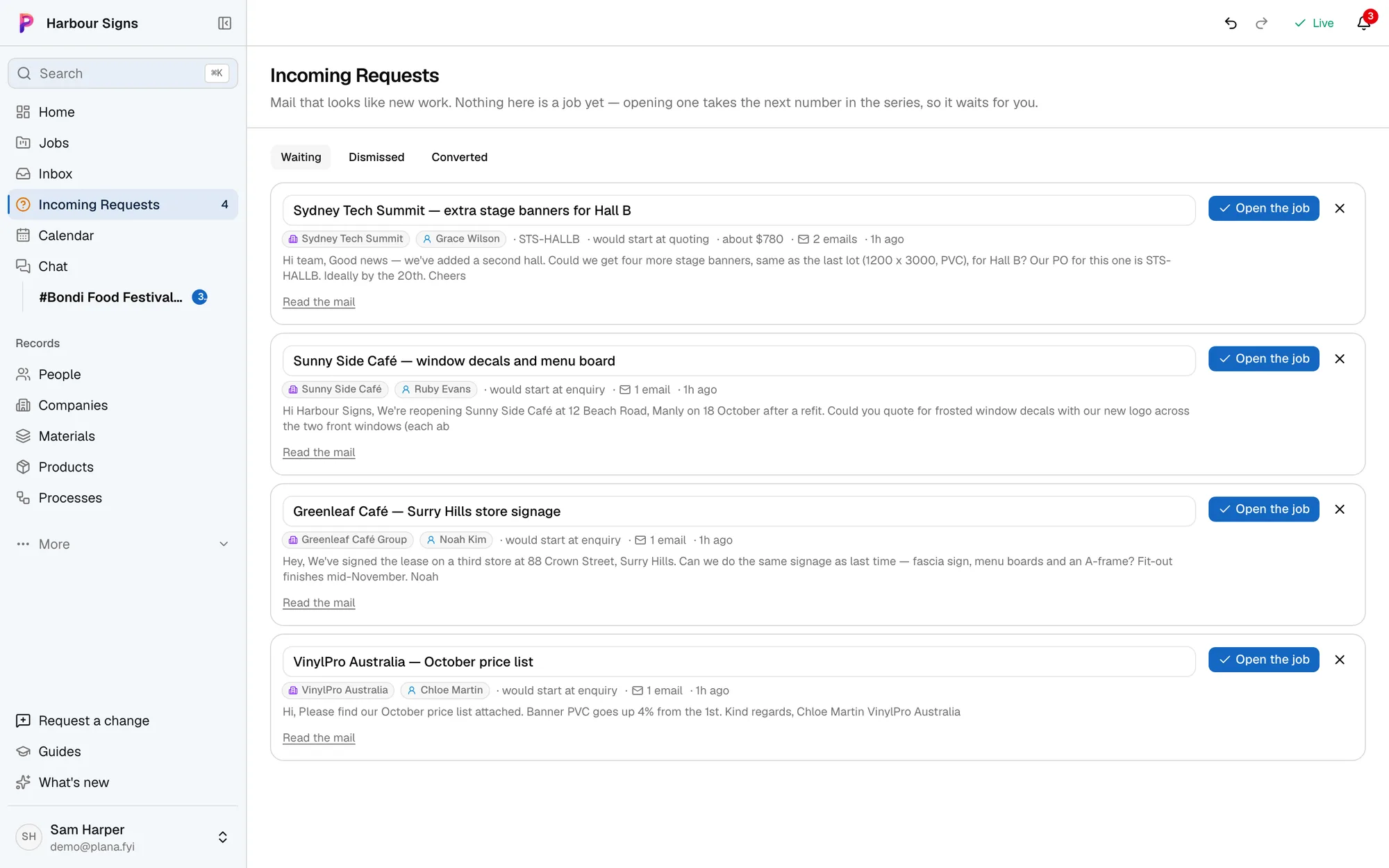
Each request shows who it's from, what they want and when, with the email one click away. Open it as a job, or dismiss it.
Watch it done in the app, below.
Only real requests
Plana checks each email is someone asking you for work. Supplier invoices, your own orders, signups and newsletters go straight to Dismissed, where you can still open one as a job.
Every reply on the right job
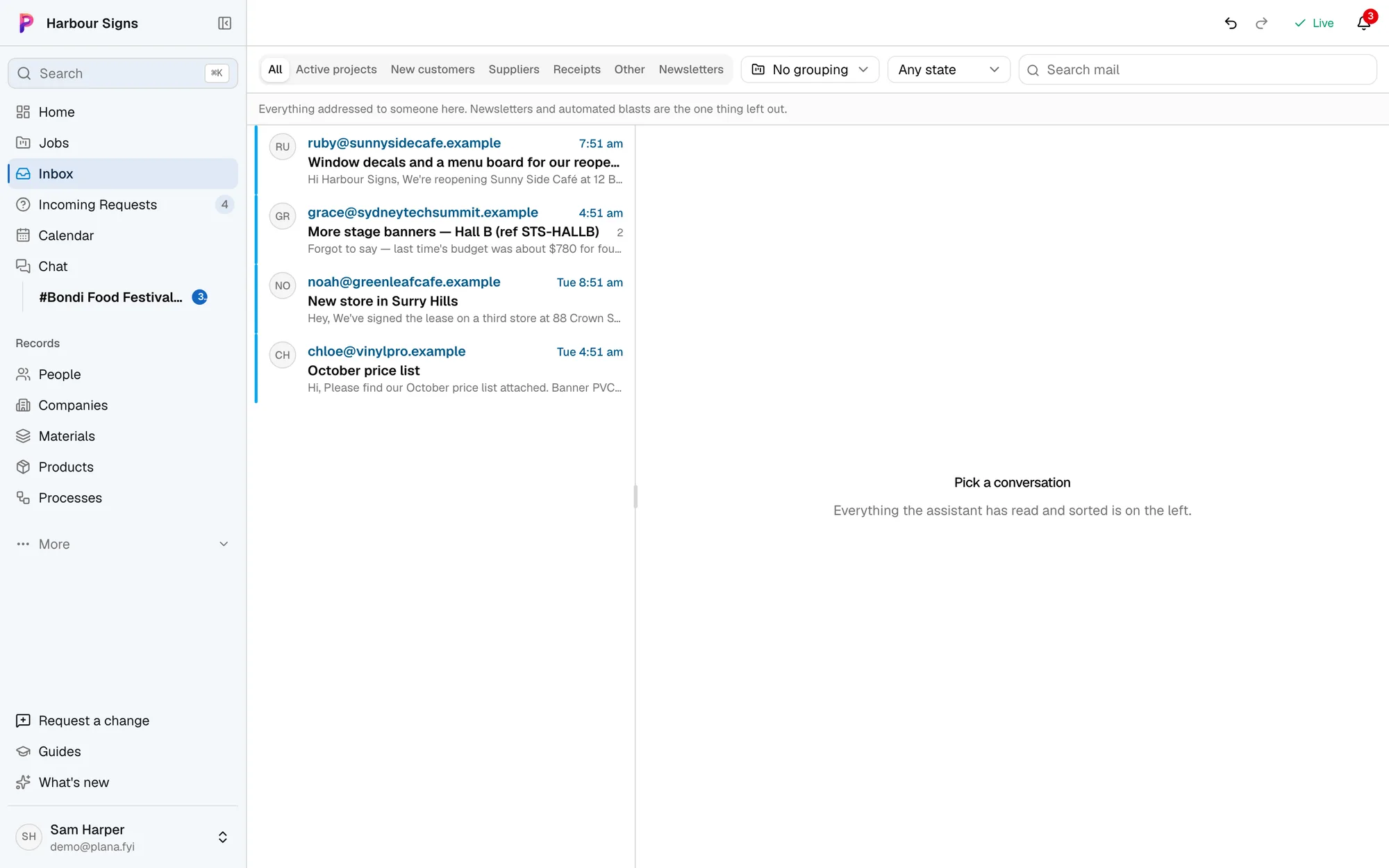
Once a job exists, every email about it, sent or received, is filed on it. The whole conversation is where the team looks.
Questions
- Which email does it work with?
- Microsoft 365 (Outlook). Each person can connect their own mailbox.
- Will it reply to customers for me?
- Not on its own. Anything going out waits for someone to approve it.
- What if it gets one wrong?
- Dismiss it with one click, or open a dismissed one as a job. Nothing is deleted.