
For exhibition and display builders
Every panel of the stand, on one job.
Back walls, counters, lightboxes and floor graphics, each with its size, material, artwork and status, and every email about the stand filed with it.
Sound familiar?
- The organiser's deadlines, the client's artwork and your build list live in three places.
- A late change to the back wall doesn't reach the printer.
- You quote from last year's stand and hope the costs still hold.
The stand, item by item
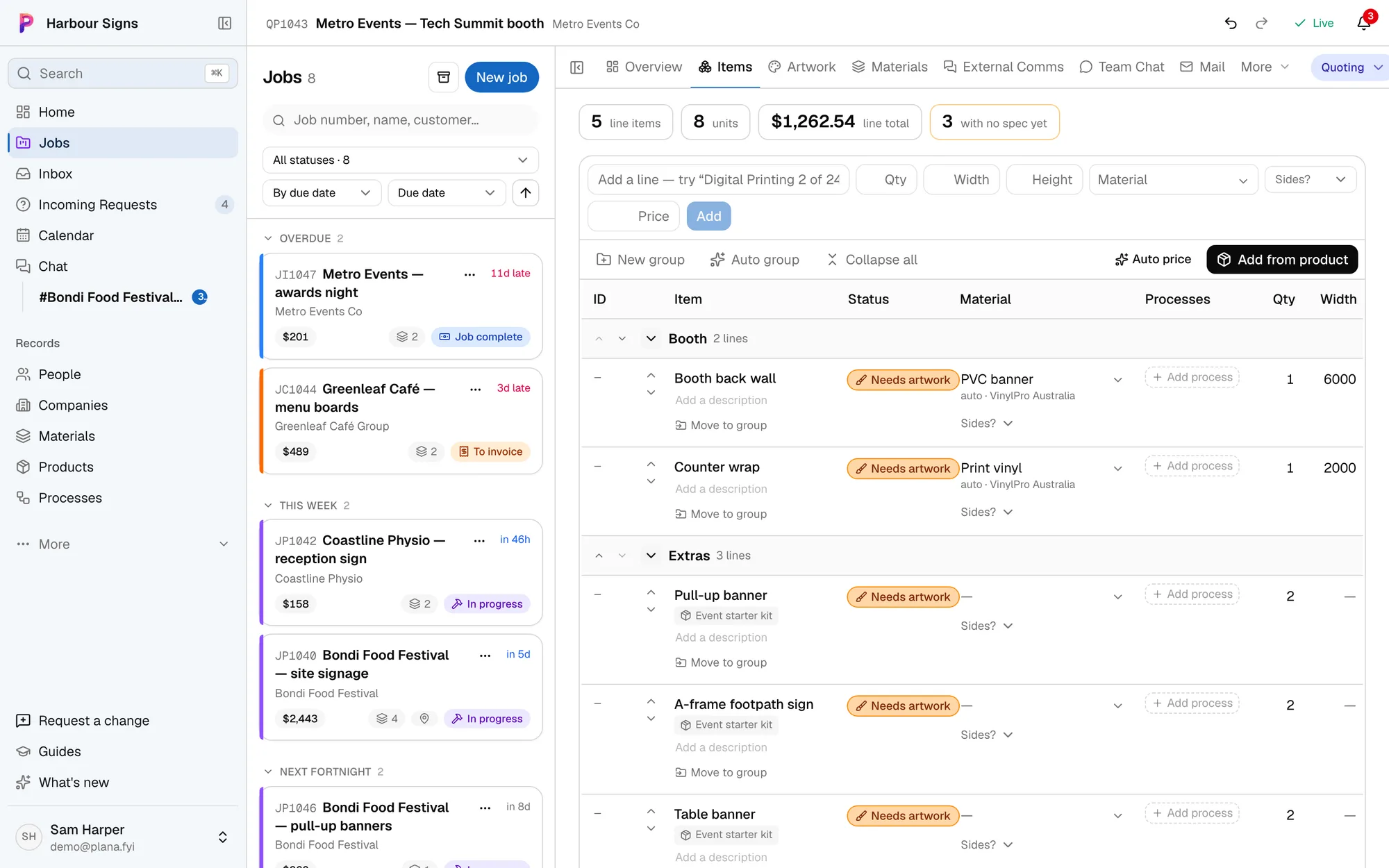
Group a stand's items by area and see each one's material, size, processes and status.
Watch it done in the app, below.
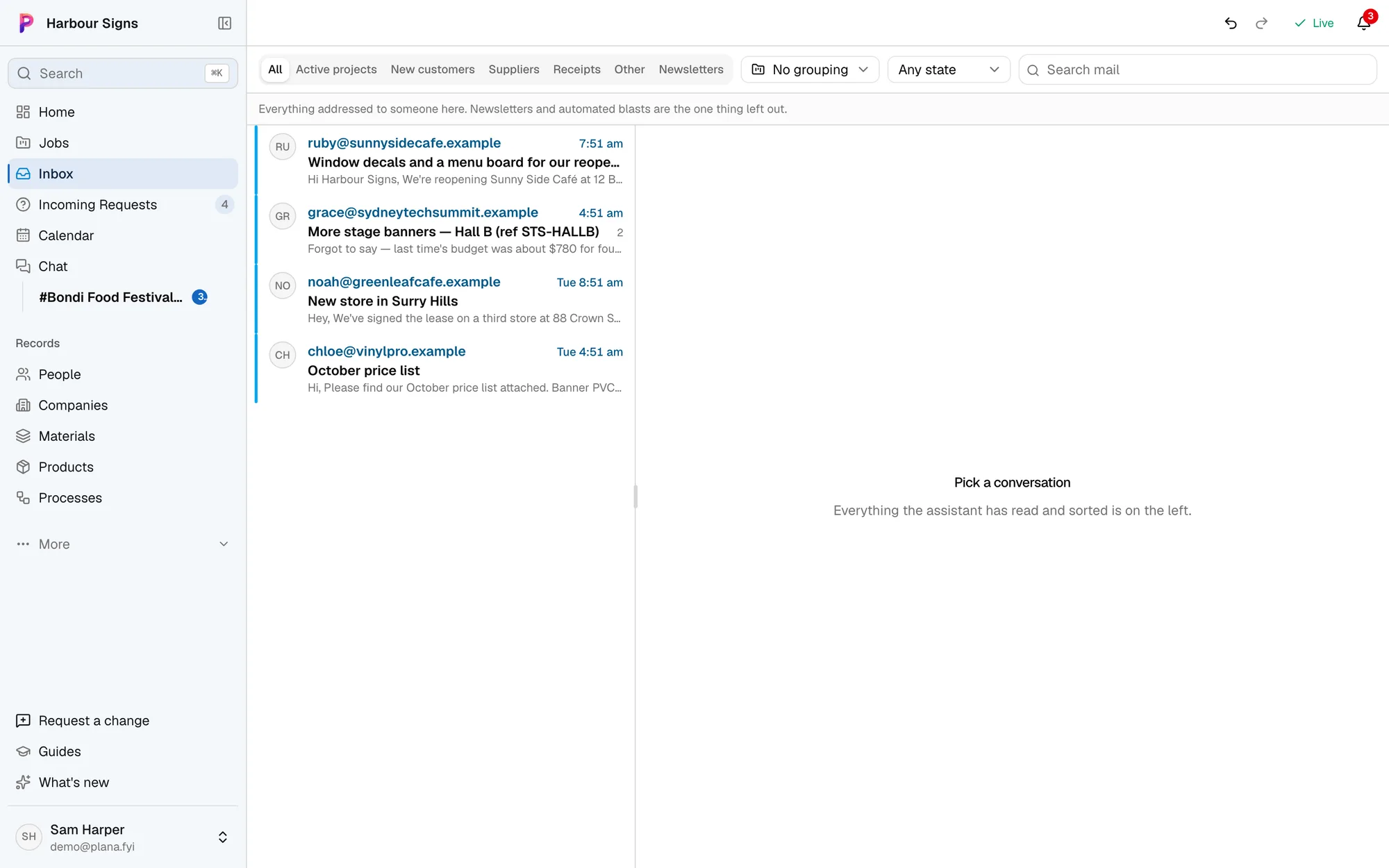
Every email filed against the stand
Plana reads your inbox and puts each email on the job it's about, so the organiser's manual and the client's changes are where the team looks.
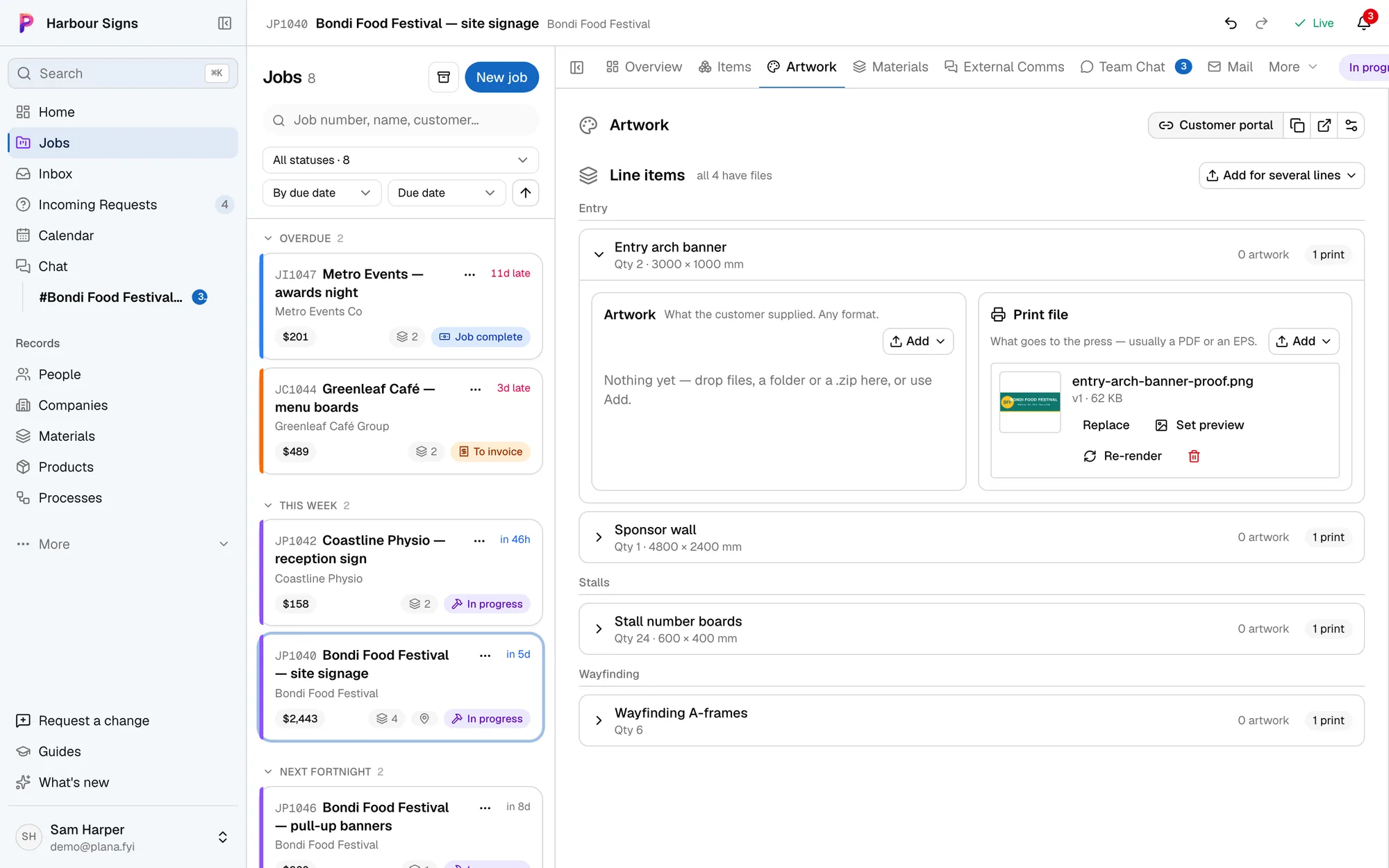
Proofs approved in one link
Your client approves each graphic, or asks for changes, from one link, with their name on every answer.
Watch it done in the app, below.

Your invoices go into Xero
Progress claims and the final invoice go into Xero as you issue them, and payments marked in Xero show on the job. Arrived purchase orders can go in as draft bills.
How Plana works with XeroMoving to Plana
Bring your jobs with you.
Keeping jobs in FileMaker, a spreadsheet, Asana, Trello or monday.com? Send us what you have and we'll bring your jobs, customers and job numbers across, so your history is there on day one and new jobs carry on from the last number.
Ask us to bring yours across In FileMaker Pro now
- Same job number, and new jobs carry on from it
- Bayside Brewing Co and Mia Chen saved as a customer
- Both signs on the job, with their sizes
- Where it was up to, so it lands in the right stage
Questions
- Can we reuse a stand we've built before?
- Yes. Save a job as a template, or keep your standard items as products, and start the next one from it.
- Does it replace our email?
- No. It reads your mailbox and files each email on its job. You keep writing email the way you do now.