 Plana
PlanaFor event graphics companies
From plan to packdown, in one place.
Event work is a hundred small signs with one hard deadline. Plana keeps every one of them, and every conversation about them, on the job.
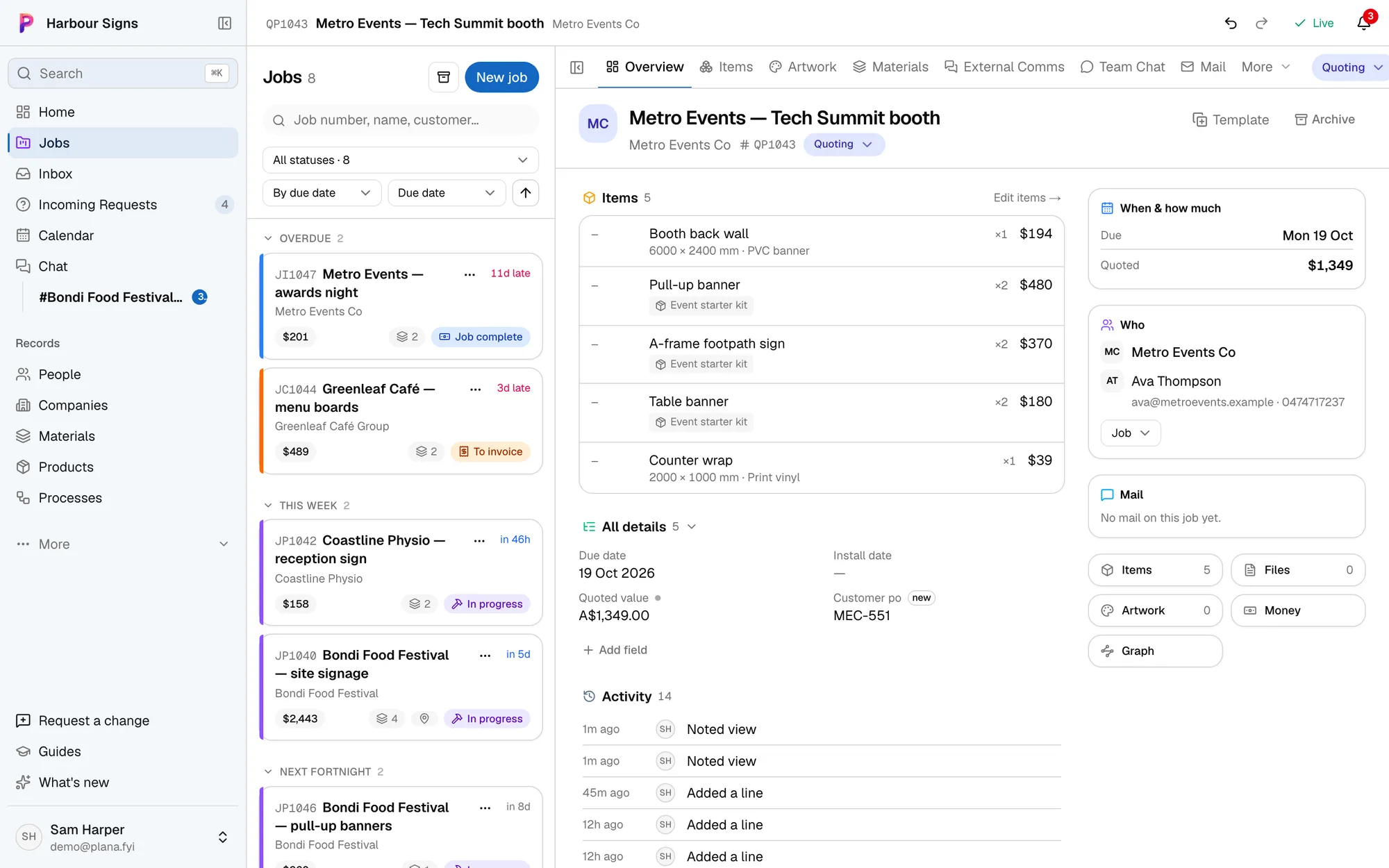
Sound familiar?
- The client changes the stage banner size the week before bump-in, by email, to someone else.
- Nobody can say which of the forty wayfinding signs still needs artwork.
- The crew turns up on site without the run sheet.
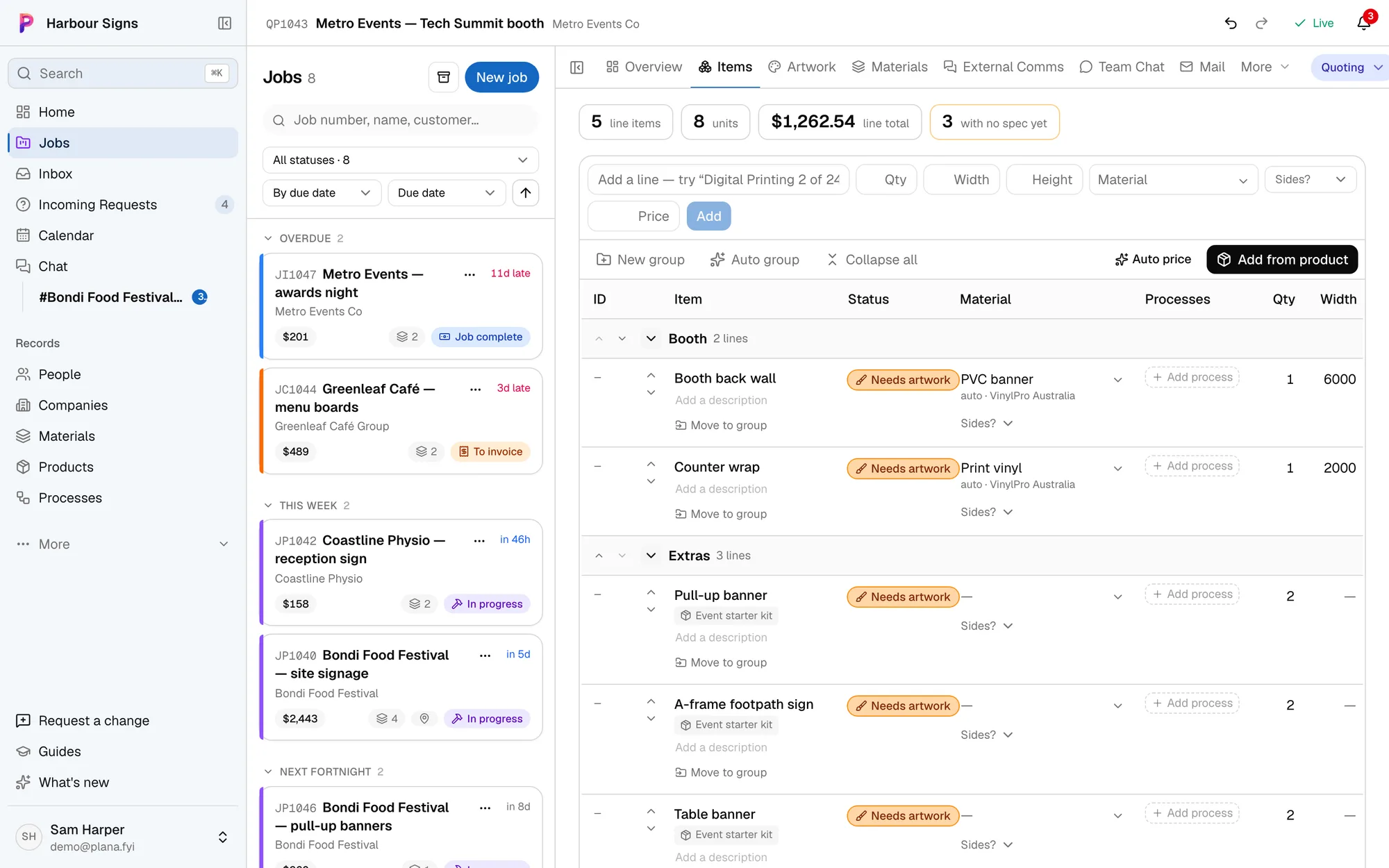
Every sign, grouped the way the event is
Group a job's items by area (stage, booth, wayfinding) and see each one's artwork and status at a glance. Nothing gets forgotten because it was line 38 of a spreadsheet.
Watch it done in the app, below.
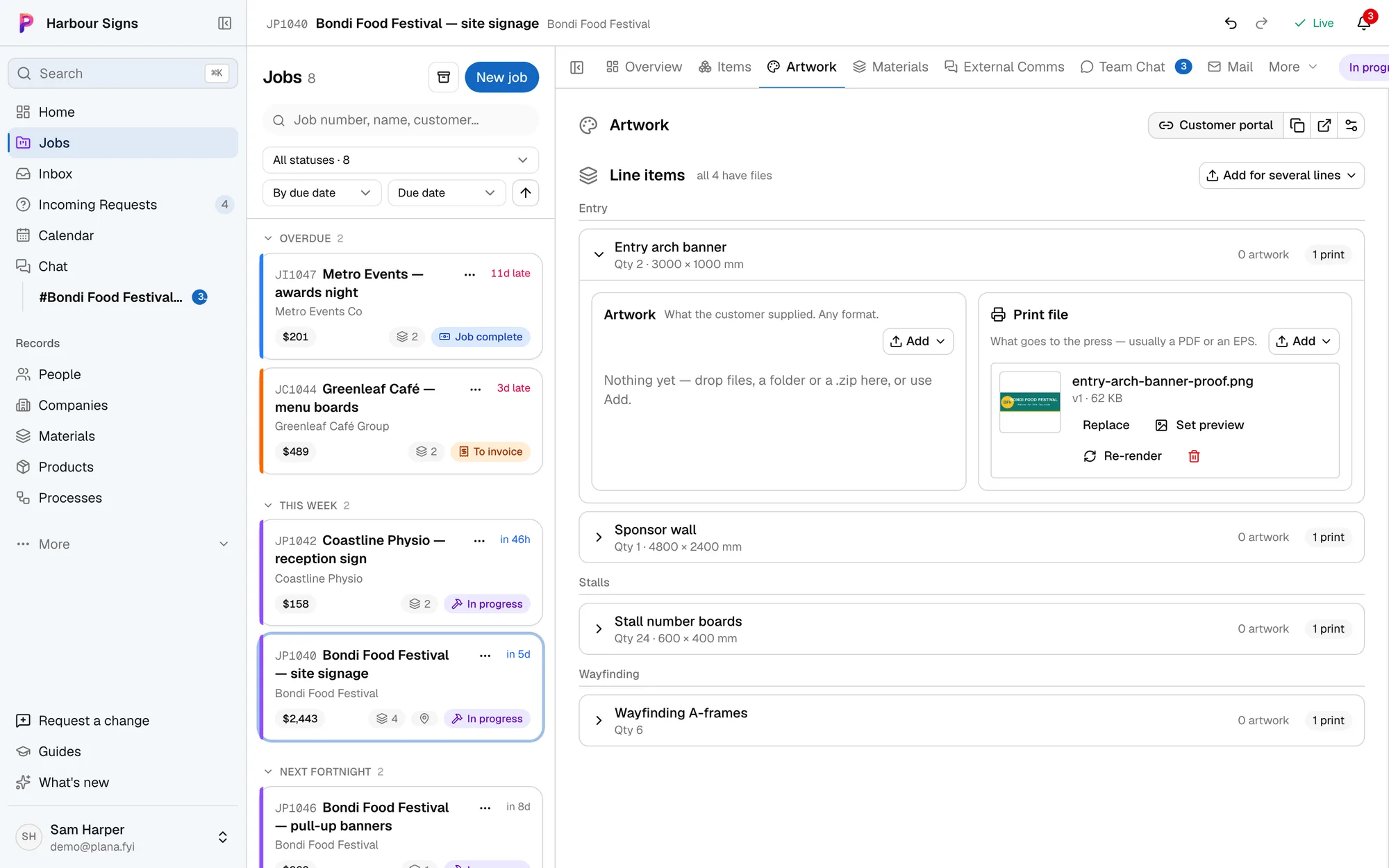
Proofs approved in one link
Send your client one link. They see every proof, approve it or ask for changes, and drop in their own files. Approvals land on the job straight away.
Watch it done in the app, below.
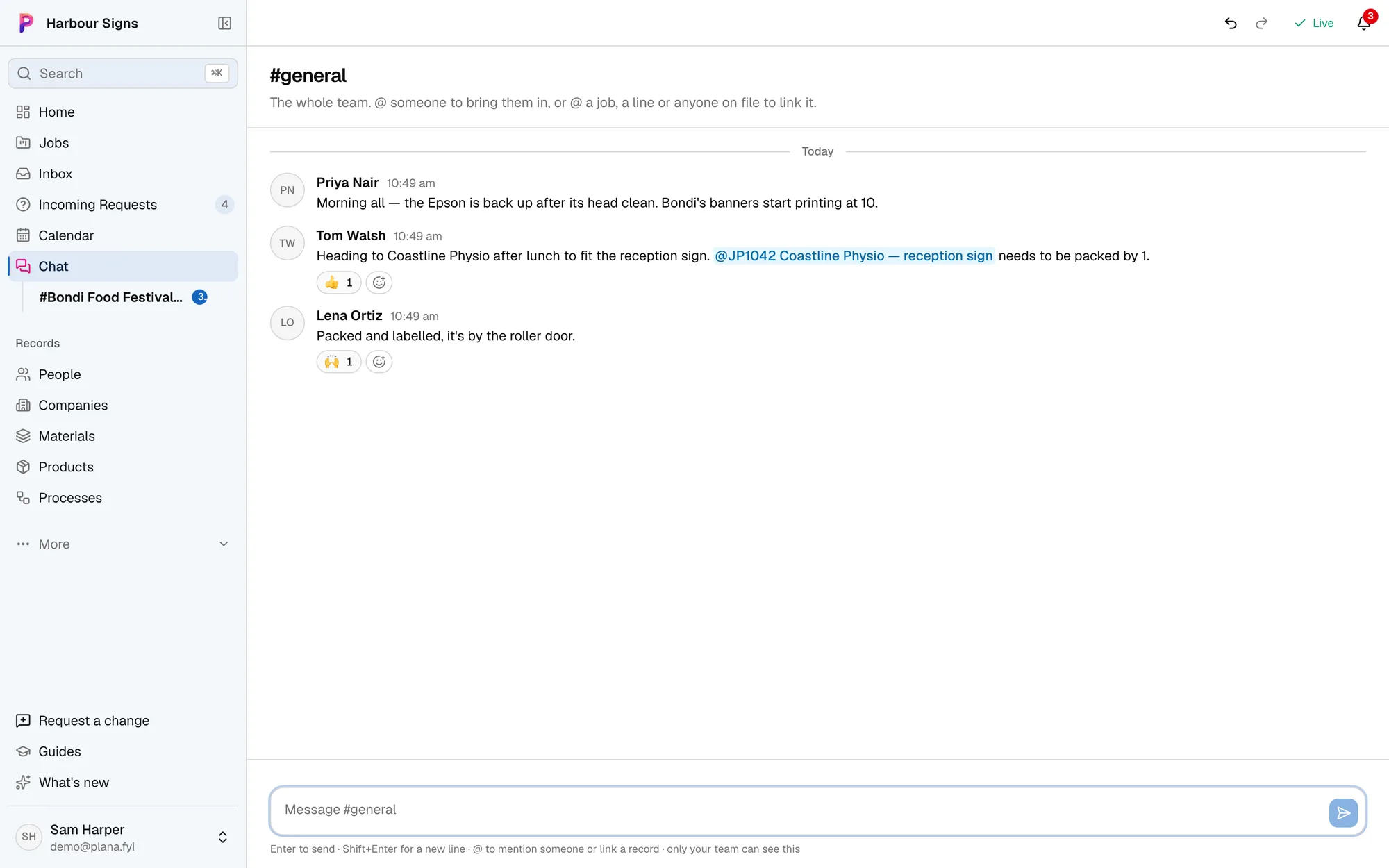
A chat for every job
The talk about the banners stays with the banners. Mention a job and it's linked, so anyone can jump straight to it.
Watch it done in the app, below.
Questions
- Can the client see the whole job?
- They see the proofs and files you share with them, and can comment, approve and upload. Your costs, margins and internal chat stay private.
- Does it handle install dates?
- Yes. Each job has its due and install dates, and the calendar shows them beside your mailbox's diary.
- Can the crew use it on their phones?
- Yes. Plana works in a phone's browser, and you can text the assistant to ask where a job is at or what's on this week.